Installation
Quick Install (recommended)
Install the latest release with a single command:
This downloads the pre-built binary for your platform and places it in /usr/local/bin.
Download from GitHub Releases
Pre-built binaries are available for every tagged release:
| Platform | Architecture | Artifact |
|---|---|---|
| macOS | Apple Silicon (M1+) | ciab-darwin-arm64.tar.gz |
| macOS | Intel | ciab-darwin-x64.tar.gz |
| Linux | x86_64 | ciab-linux-x64.tar.gz |
| Linux | ARM64 | ciab-linux-arm64.tar.gz |
Download from GitHub Releases, extract, and move to your PATH:
Desktop App (macOS)
The CIAB desktop app provides a full GUI for managing sandboxes, workspaces, and agent sessions.
1. Download the .dmg file from GitHub Releases.
2. Open the downloaded .dmg file. You'll see the CIAB app icon and an Applications folder shortcut:
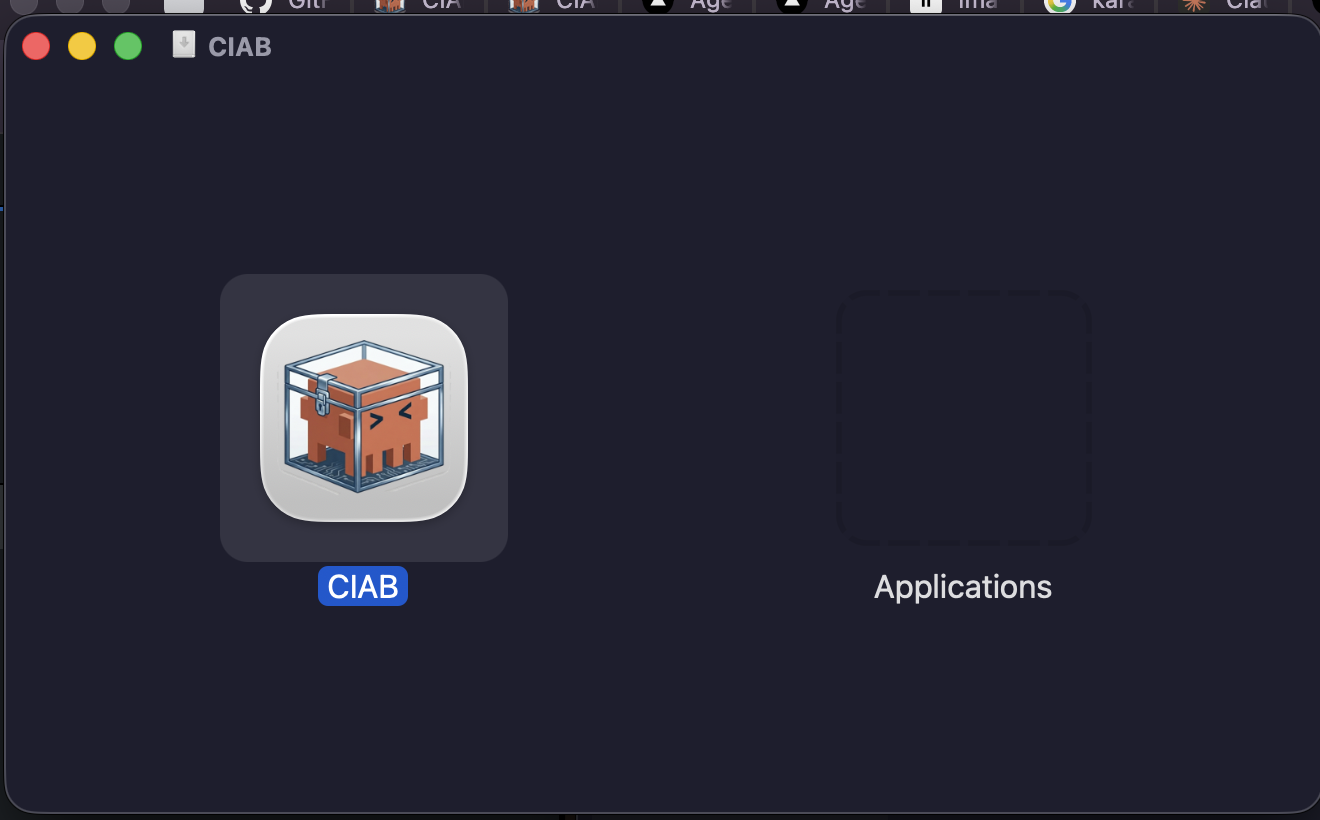
3. Drag the CIAB icon into the Applications folder to install.
4. Launch CIAB from your Applications folder or Spotlight (Cmd + Space, type "CIAB").
macOS Gatekeeper
On first launch, macOS may show a warning since the app is not signed with an Apple Developer certificate. To open it:
- Right-click (or Control-click) the app in Applications
- Select Open from the context menu
- Click Open in the dialog
You only need to do this once — subsequent launches will work normally.
The desktop app includes a built-in CIAB server, so you don't need to run ciab server start separately.
Install from crates.io
If you have Rust installed, you can install directly from crates.io:
This builds and installs the ciab binary to ~/.cargo/bin/.
As a Rust library
To use CIAB as a library in your Rust project:
See the Rust Library docs for feature flags and usage examples.
Build from Source
Requires Rust (stable, latest).
The ciab binary will be at target/release/ciab.
Verify Installation
Initialize Configuration
Generate a default config file:
This creates config.toml in the current directory. See Configuration for details on all settings.