
OAuth data sources
Some sources authenticate with OAuth2 instead of a pasted token: Notion, Google Drive, Gmail, Slack, Jira, and Confluence. For these the data sources UI shows a Connect button instead of a token field — you authorize in the provider's own window, and kyma stores the resulting tokens as an encrypted credential that the data source resolves (and refreshes) at run time.
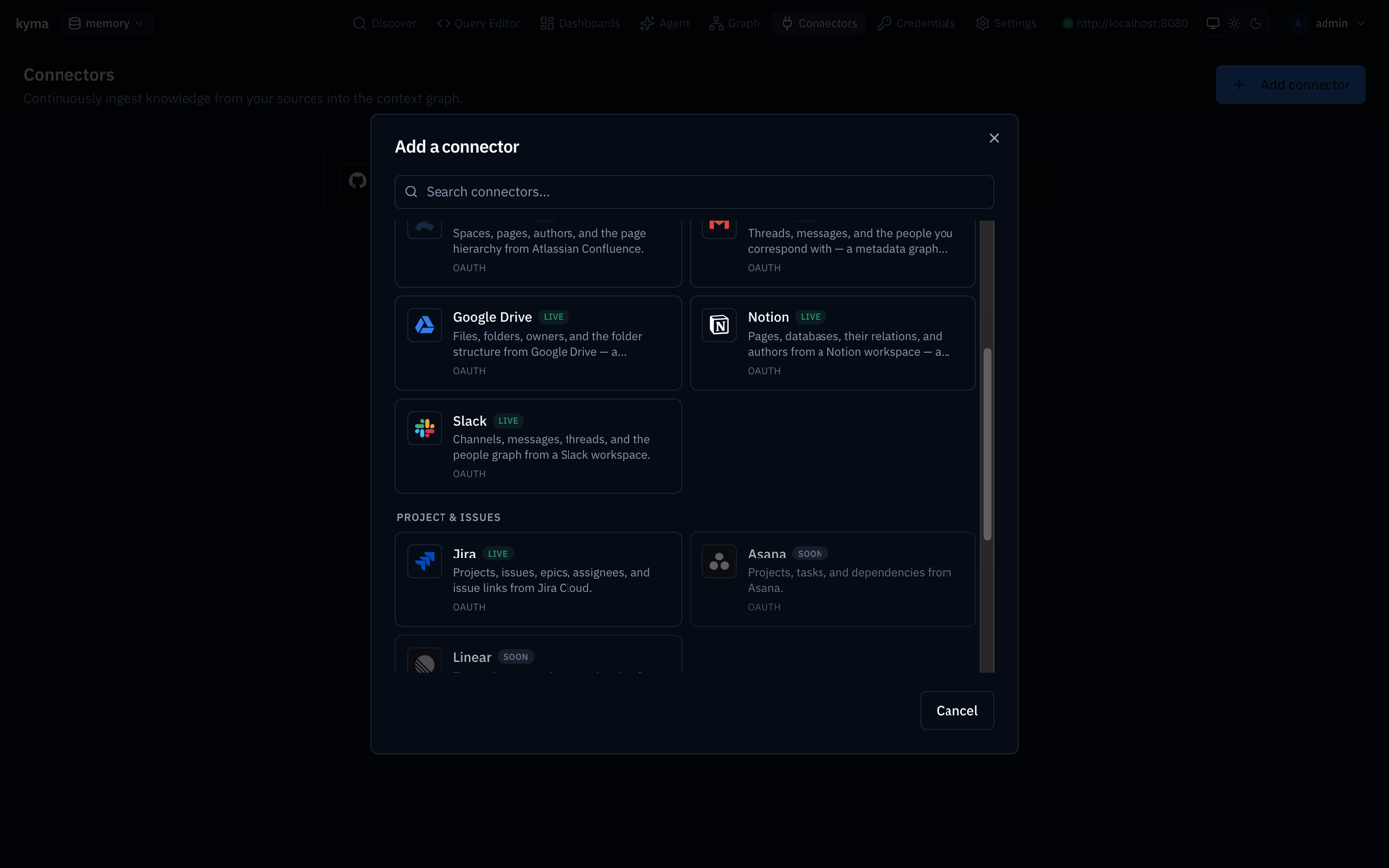 The knowledge and project sources — Notion, Google Drive, Gmail, Slack, Jira, Confluence — each marked OAUTH.
One OAuth app per provider backs one or more data sources:
| Provider slug | Data sources | Where you register the app |
|---|---|---|
google | Google Drive, Gmail | Google Cloud console |
notion | Notion | Notion integrations (public integration) |
atlassian | Jira, Confluence | Atlassian developer console (OAuth 2.0 3LO) |
slack | Slack | Slack apps |
How the flow works
- The UI calls
POST /v1/oauth/{provider}/start; kyma mints a single-usestate(+ PKCE where the provider supports it), stores it server-side stamped with your tenant, and returns the provider's authorize URL. - You authorize in a popup. The provider redirects to the unauthenticated
GET /v1/oauth/{provider}/callback(a cross-site redirect carries no bearer — the unguessable single-usestateis the trust anchor). - kyma exchanges the code for tokens, stores them as an
oauth2credential (encrypted withKYMA_SECRET_KEY), and hands the newcredential_idback to the wizard. - On each tick the data source calls the shared resolver, which transparently refreshes an expired access token and persists the rotated tokens.
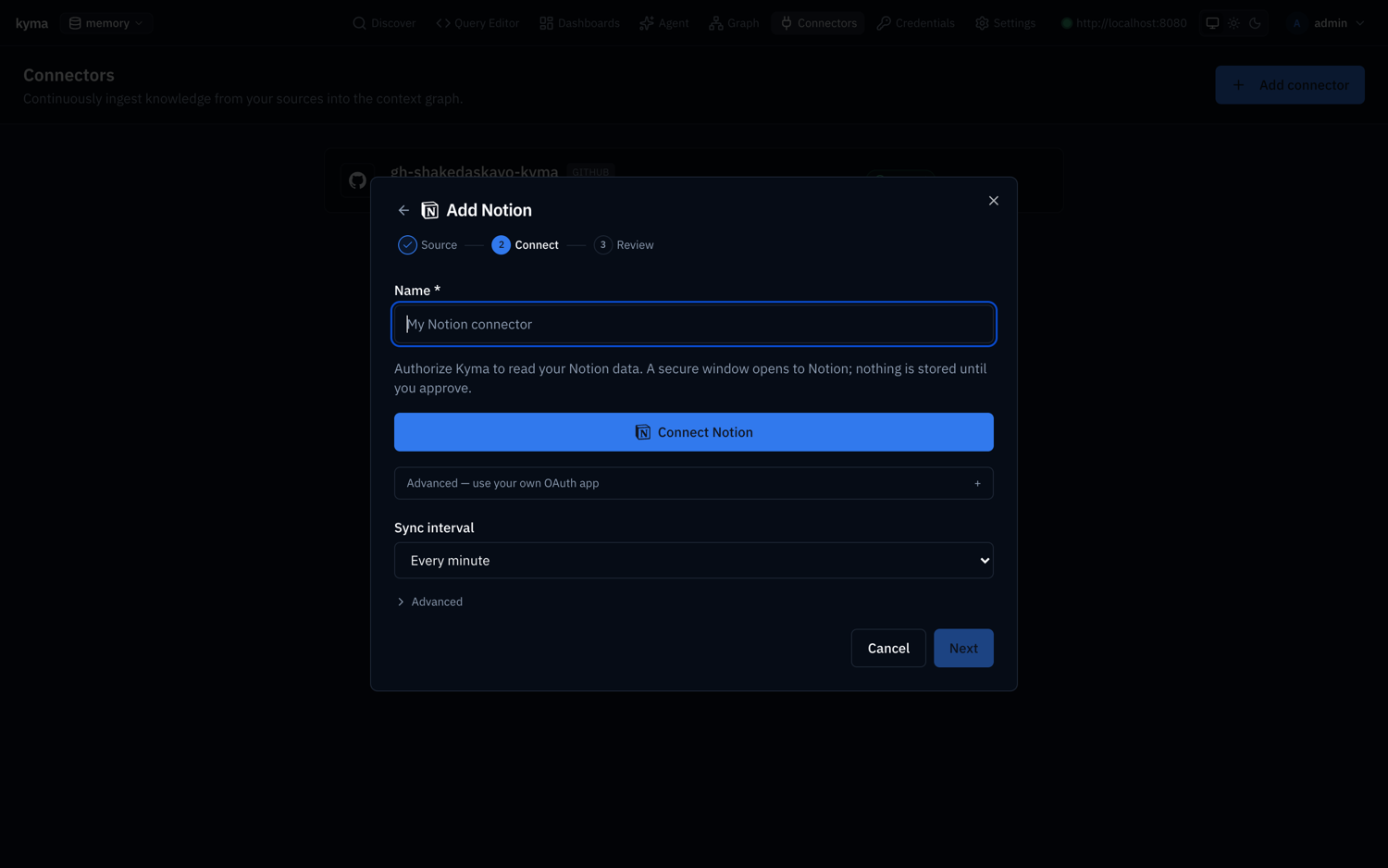 The Connect step. Name the data source, hit the Connect button to authorize in a popup, optionally bring your own OAuth app, and set the sync interval — no token to paste.
Operator setup
Set the externally reachable origin so the redirect URI and the post-auth UI return both resolve, then configure each provider's client app:
# Required to enable OAuth — your server's externally reachable origin.
KYMA_OAUTH_REDIRECT_BASE=https://kyma.example.com
# Optional; defaults to KYMA_OAUTH_REDIRECT_BASE.
KYMA_OAUTH_UI_RETURN_BASE=https://kyma.example.com

# Per-provider client apps (only configure the ones you use):
KYMA_OAUTH_GOOGLE_CLIENT_ID=...
KYMA_OAUTH_GOOGLE_CLIENT_SECRET=...
KYMA_OAUTH_NOTION_CLIENT_ID=...
KYMA_OAUTH_NOTION_CLIENT_SECRET=...
KYMA_OAUTH_ATLASSIAN_CLIENT_ID=...
KYMA_OAUTH_ATLASSIAN_CLIENT_SECRET=...
KYMA_OAUTH_SLACK_CLIENT_ID=...
KYMA_OAUTH_SLACK_CLIENT_SECRET=...
When you register each app, set its redirect URI to:
<KYMA_OAUTH_REDIRECT_BASE>/v1/oauth/<provider>/callbacke.g. https://kyma.example.com/v1/oauth/google/callback, .../v1/oauth/atlassian/callback, .../v1/oauth/slack/callback, .../v1/oauth/notion/callback.
Self-hosted dev
docker-compose.yml already sets KYMA_OAUTH_REDIRECT_BASE=http://localhost:8080 and lists the per-provider vars (commented). Fill in a provider's CLIENT_ID/CLIENT_SECRET to light up its Connect button. With none set, the catalog still lists the data sources; clicking Connect returns a clear "no OAuth client configured" message.
Scopes requested
kyma requests least-privilege, read-only scopes per data source — you don't set these, the UI sends them:
| Data source | Scopes |
|---|---|
| Google Drive | drive.metadata.readonly |
| Gmail | gmail.metadata (headers only — never message bodies) |
| Slack | channels:read, channels:history, groups:read, groups:history, users:read |
| Jira | read:jira-work, read:jira-user, read:me, offline_access |
| Confluence | read:confluence-content.all, read:confluence-space.summary, read:confluence-user, read:me, offline_access |
| Notion | (capability-based; granted when you authorize the integration) |
Google and Atlassian issue refresh tokens (access_type=offline / offline_access), so data sources keep syncing without re-auth. Notion and Slack bot tokens are long-lived and don't expire.
Bring your own app
Don't want to set operator-wide env vars? Each data source's Connect step has an Advanced → use your own OAuth app disclosure. Paste a client_id / client_secret and kyma stores them per-tenant (secret encrypted), taking precedence over the operator env for that provider. Register the same redirect URI as above.
Managing a connection
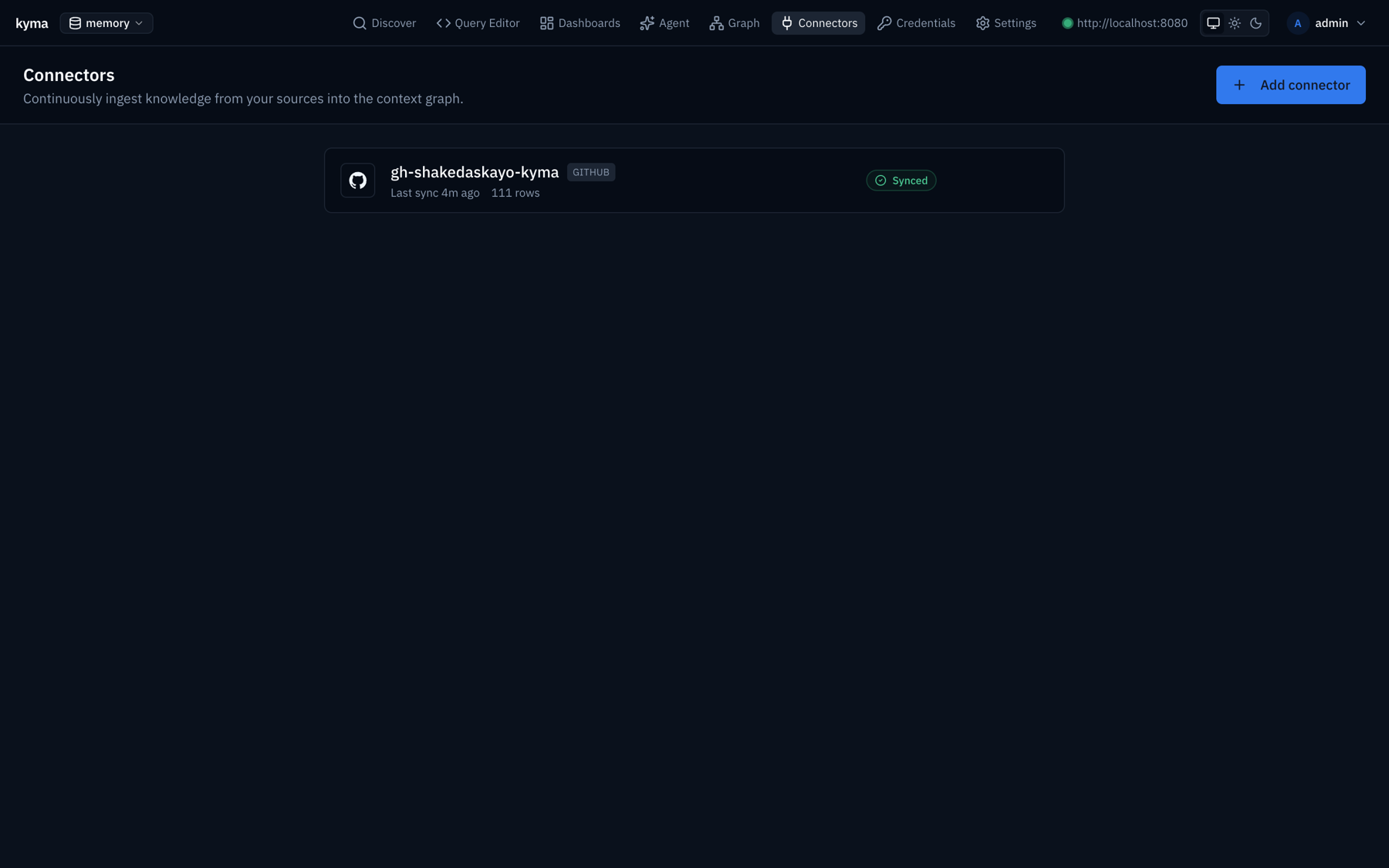 The data sources list — each row shows the source, sync status, last run, and rows ingested.
The data source detail page shows a Credential card with the linked account and a Reconnect action (re-runs the connect flow and repoints the data source at the fresh credential) — useful if a token is revoked. Credentials are also listed and manageable under Settings → Credentials; one credential can back multiple data sources, and rotating it propagates everywhere.
Security
- The callback is unauthenticated by necessity (the IdP redirect has no bearer); the single-use
staterow — short-TTL, atomically consumed, tenant-stamped — is the entire CSRF boundary. PKCE is used wherever the provider supports it. redirect_uriis always built server-side fromKYMA_OAUTH_REDIRECT_BASE, never from request input; the post-auth redirect only targets the configured UI origin (no open redirect).- Client secrets, PKCE verifiers, and access/refresh tokens are AES-256-GCM encrypted at rest and never logged.